Last Updated:
Can You Play Dead Trigger 2 On PC? The Ultimate Guide & Workarounds (2024)
Dead Trigger 2, Madfinger Games' acclaimed zombie slaughter fest, was primarily designed for mobile. But the burning question for many hardcore gamers is: Can you play Dead Trigger 2 on PC? The answer is a resounding YES, and this exhaustive guide will walk you through every official and unofficial method, performance tweaks, and insider tips to get the best experience on your desktop or laptop. 🧟♂️🖥️
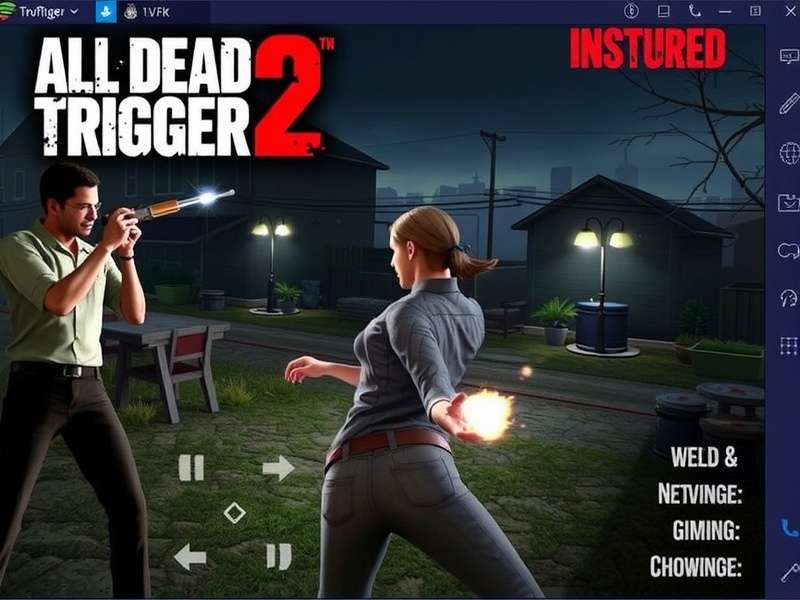
Dead Trigger 2 PC Gameplay with high-resolution textures and smooth FPS.
In This Ultimate Guide:
- Official Method: Dead Trigger 2 on Steam
- Unofficial King: Android Emulators (BlueStacks, LDPlayer)
- Performance Optimization Guide for Butter-Smooth Gameplay
- Using Mods & APKs on PC – Is It Possible?
- Mobile vs PC Experience: Which is Better?
- Common Troubleshooting & Fixes
- Future of Dead Trigger 2 on PC & Community Insights
1. The Official Gateway: Dead Trigger 2 on Steam 🎮
Many gamers ask, "Is Dead Trigger 2 available on Steam?" Officially, Dead Trigger 2 is not listed as a standalone game on Steam. Madfinger Games has focused on the mobile platform. However, there are indirect official ways. Some services like "BlueStacks App Player" have partnerships, but the pure Steam release remains absent. This gap has led to the rise of robust workarounds.
For those seeking an official PC-like experience, exploring Madfinger's other titles or using the Dead Trigger 2 Steam community discussions can yield helpful setups shared by players.
2. The Unofficial King: Android Emulators for PC
This is the most popular and effective method. Android emulators create a virtual Android device on your PC, allowing you to install and play the mobile version of Dead Trigger 2 with superior controls and graphics.
2.1 Top Recommended Emulators
- BlueStacks 5: The gold standard. Optimized for gaming, with keymapping, multi-instance, and high FPS modes. Perfect for grinding in Dead Trigger 2.
- LDPlayer: Lightweight and fast, specifically built for gaming. Less resource-heavy than BlueStacks.
- NoxPlayer: Known for its stability and macro support, great for automated tasks.
- GameLoop: Officially by Tencent, good overall performance.
Pro Tip: Use BlueStacks 5 64-bit version if you have a RAM-rich PC (8GB+). Allocate at least 4 cores and 4GB RAM in emulator settings for a lag-free horde mode experience.
2.2 Step-by-Step Installation Guide
1. Download and install your preferred emulator (e.g., BlueStacks) from its official website.
2. Launch the emulator and sign in with a Google account.
3. Open the Google Play Store within the emulator.
4. Search for "Dead Trigger 2" and install it.
5. Once installed, launch the game. The emulator will automatically suggest key mappings (WASD for movement, mouse for aiming/shooting).
6. Adjust graphics settings in the emulator for optimal performance (more on this below).
Want to play offline? Check out our detailed guide on How To Download Dead Trigger 2 Offline which also applies to emulator setups.
3. Performance Optimization Guide for PC 🚀
Playing on PC unlocks the potential for graphics beyond any mobile device. Here’s how to maximize it.
3.1 Emulator Settings (BlueStacks Example)
- Performance Mode: Set to "High Performance".
- CPU: Allocate 4 cores (or more if available).
- RAM: Allocate 4096 MB.
- Display: Resolution 1920x1080, DPI 240, Refresh Rate 60 FPS (or higher if supported).
- Graphics Engine: Use "Performance" mode for stability or "Advanced" for better graphics if your PC is powerful.
- Enable "High Frame Rate" in the specific game settings within BlueStacks.
3.2 In-Game Settings for Best Visuals
Once inside Dead Trigger 2, go to Settings > Graphics. Depending on your PC's power, you can max out:
• Texture Quality: High
• Shadow Quality: High
• Effects Quality: High
• Anti-Aliasing: Enable (makes edges smoother)
• Resolution Scale: 100% or higher if supported.
The difference is night and day compared to a phone screen.
4. Using Mods & APKs on PC – The Game Changer? ⚙️
One major advantage of playing via emulator is the ease of installing modified APK files. These mods can provide unlimited resources, unlocking a new dimension of gameplay.
Warning: Using mods can sometimes lead to account bans if used on official servers. Use at your own risk, preferably in offline modes.
How to Install a Mod APK on an Emulator:
1. Download a trusted mod APK file, such as the Dead Trigger 2 Mod Apk Unlimited Gold or the comprehensive Dead Trigger 2 Offline Mod Apk Unlimited Everything.
2. Within the emulator, locate the "Install APK" button (usually on the right sidebar).
3. Browse and select the downloaded .apk file. The emulator will install it.
4. Launch the modded game and enjoy the enhanced features.
For a massive advantage, consider the Download Dead Trigger 2 Mod Apk Unlimited Money And Gold version to bypass grind and focus on pure zombie annihilation.
5. Mobile vs PC Experience: Detailed Comparison 📊
Controls: PC wins decisively. Keyboard and mouse offer precision aiming and quick keybinds for weapons/potions that touch controls can't match.
Graphics: PC, via emulator enhancements, can run at higher resolutions and consistent frame rates.
Immersion: Playing on a large monitor with surround sound is vastly more immersive.
Convenience: Mobile wins for portability and quick sessions.
Multi-instance: PC allows running multiple accounts simultaneously for farming events.
6. Common Troubleshooting & Fixes 🔧
Issue: Game lags or stutters.
Fix: Lower the in-game graphics settings, allocate more RAM/CPU to the emulator, close background PC applications, update your graphics drivers.
Issue: Emulator crashes on startup.
Fix: Enable Virtualization Technology (VT) in your PC's BIOS/UEFI settings. This is crucial for emulator performance.
Issue: Google Play Services errors.
Fix: Install the correct version of Google Play Services within the emulator's tool settings.
7. The Future & Community Insights 🤔
Will Madfinger Games ever release an official PC port? The community remains hopeful. Given the success of similar titles on PC, a well-optimized port could find a significant audience. Until then, the emulator method remains the dominant and most satisfying way to play.
Pair your PC setup with the Dead Trigger 2 Best Weapons guide to maximize your loadout efficiency.
🔗 Dive Deeper: Related Resources
Final Verdict
So, can you play Dead Trigger 2 on PC? Absolutely. While there's no native Steam version, Android emulators provide a superior, feature-rich experience that arguably surpasses the original mobile intent. With enhanced controls, stunning graphics, and the flexibility to use mods, playing Dead Trigger 2 on PC is not just possible—it's highly recommended for any serious fan of the game. Stay tuned to www.playdeadtrigger.com for more exclusive guides and deep dives into the world of zombie gaming! 🧟♂️💻
Share Your Experience
Have you played Dead Trigger 2 on PC? What setup worked for you? Let our community know!